The difference between vector and raster files, and why a logo should be created in a vector-based program.
First, some quick info about raster images.
Illustrations, photographs and other digital pictures are flat, single layered images called raster images.
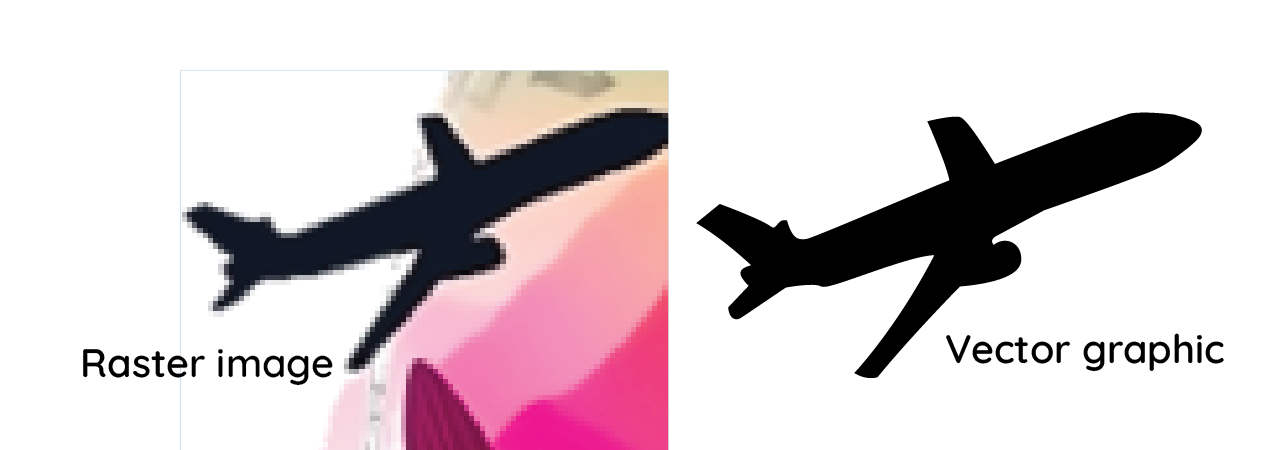
Raster images are saved at a set size, and are made of millions of dots to create the complete image. You may see someone refer to an image’s DPI, or dots per inch. The more dots there are, the smaller they are, and the higher quality the image will appear. For example, a sharp, printed photo is probably around 300 DPI.
On your computer or other screen, however, images are typically shown at 72dpi. That means that raster images can look great on screen at this dpi, until you start to zoom in—you’ll notice the more you zoom, the worse it looks- the image starts becoming boxy and pixelated.
The exact same thing happens when you try and enlarge a raster image. The bigger it gets, the worse it’ll look.
Other info about raster files
Some raster images, specifically jpgs, actually get old and digitally deteriorate over time, eventually making them blurry or otherwise distorted.
Raster images come with a white background, though some, like png and tif, can be saved with a transparent background if you choose. Jpgs always have a white background.
Rastered files can NOT be saved as vector files. Once flat, always flat.
Raster filetypes include jpg, png, gif, tif, and more.
Vector graphics are made and saved differently
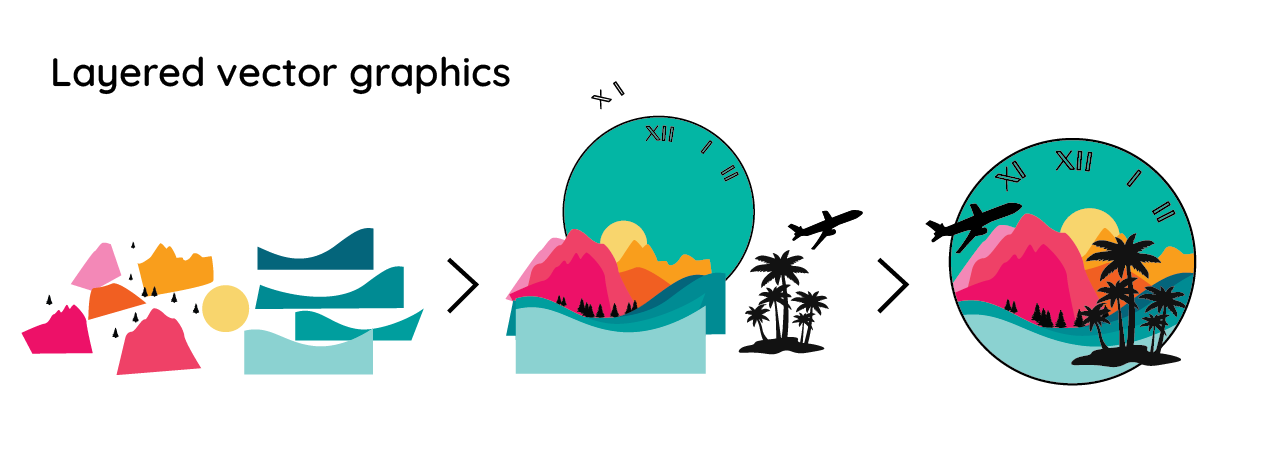
Alternatively, vector files are composed of layers upon layers of mathematically created shapes that compose a complete image.
Each layer in a vector graphic can be individually adjusted, removed, recolored, resized, etc.
Other info about vector files
Vector graphics can be any size—from the size of a speck to a billboard and beyond—without becoming pixelated. Vectors cannot deteriorate.
Since vector graphics are made of layers, you’d have to manually add a background for one to be in the file—otherwise all vector files are transparent.
Vector files primarily include svg, eps, and pdf files.
Vector graphics can be saved down as flattened 1-layer raster files if desired.
Why I design in a vector-based program
For all of the above reasons, I create all my logo designs first on paper and then in Adobe Illustrator (the only understandable ‘.ai’ for a designer, in my opinion), a vector based design program. That way, all files begin as vector and I can save them either as raster or vector from there.
By sending your final files in both vector and raster forms, I give you usable files for anything you, your printers, or your web designer & social media team (again, maybe you?) may need.
Learn more about my logo packages here!
Looking for other design stuff? I do that, too.
I’m the one on the right.